Requesting a provider
Ask HealthyRides to bring on a provider you work with. HealthyRides approves each request before the provider joins.
A provider you already work with may not be on HealthyRides yet. A Facility admin can ask HealthyRides to bring it on. A facility cannot add a provider itself: HealthyRides reviews every request, and nothing is created until a request is approved.
Sending a request
-
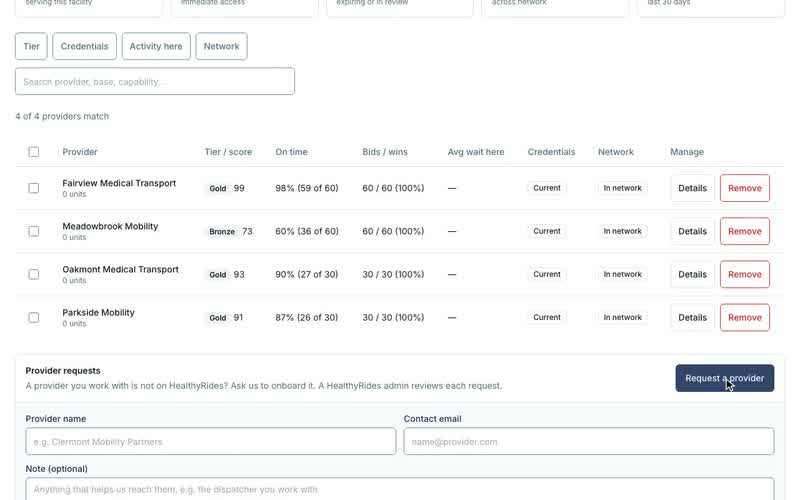
Open Providers. The Provider requests card is there.
-
Select Request a provider.
-
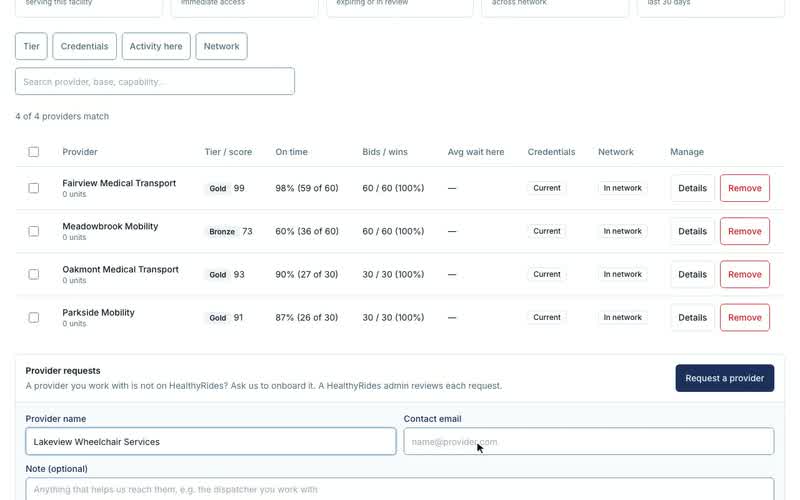
Enter the Provider name and a Contact email. HealthyRides contacts the provider at that address.
-
Optionally add a Note, up to 1,000 characters: anything that helps HealthyRides reach them, such as the dispatcher you work with.
-
Select Send request.
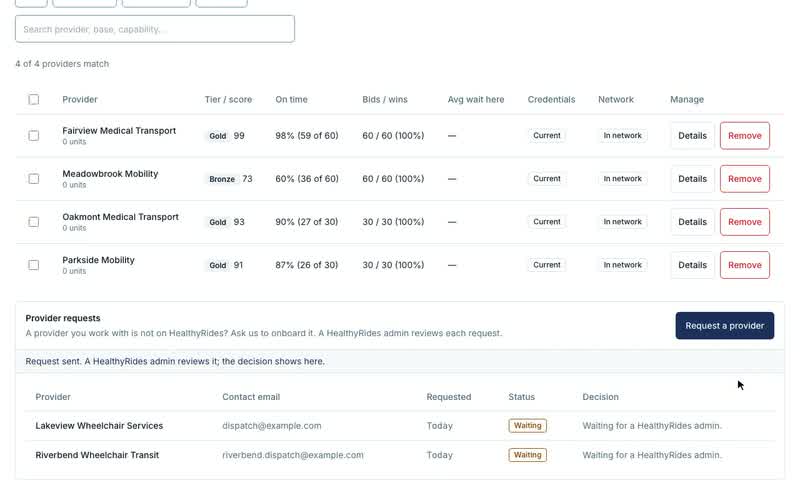
A request is refused when the provider is already on HealthyRides and in your network, or when you already asked for it and that request is still waiting.
What happens next
Each request shows in the card with its Status:
| Status | What it means |
|---|---|
| Waiting | A HealthyRides admin has not decided yet. |
| Approved | HealthyRides onboarded the provider. It joins your network like every other matching provider. |
| Rejected | HealthyRides turned it down. The Decision column shows the reason they gave. |
A decision is final. To ask again after a rejection, send a new request.
When HealthyRides approves a request, it sets the provider up, including its base address and service area, and invites the provider's administrator. The request is marked approved only once that is done.
Transcript
Loading the transcript…